You do not connect Azure or AWS. Download a cost file, then drop it in the form.
Azure
Azure in about 5 clicks
Download a daily cost CSV from Cost analysis. You do not create an app registration or share a password.
1In the Azure portal, open Cost Management.
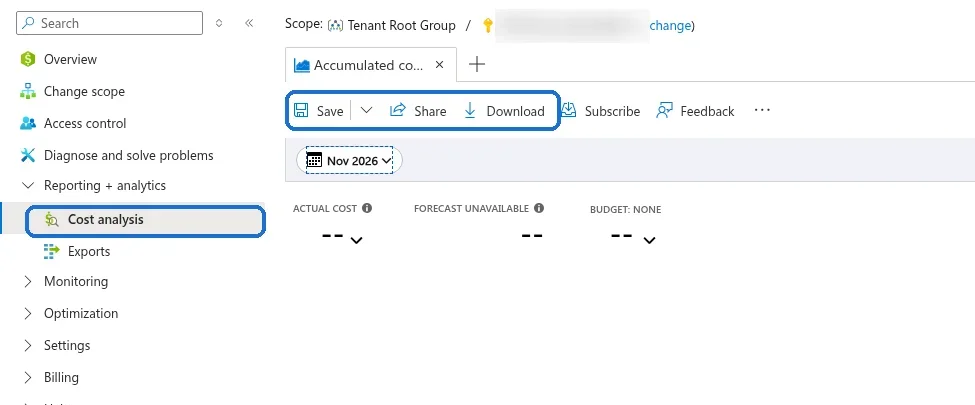
2Open Cost analysis.
3Set the date range to the last 2 months.
4Set granularity to Daily.
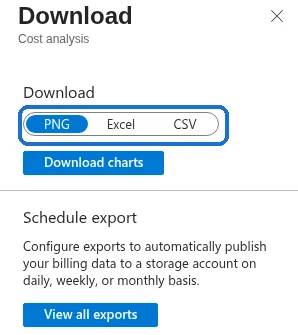
5Download the view as CSV.
Azure portal: open Cost analysis, set the date range and Daily granularity, then Download and pick CSV. Account details are blurred.
If the CSV has no resource names, set Group by to Resource and download once more. A full Cost Management export (actual or amortized) works too. Amortized is the better file when you already use reservations.
AWS
AWS in about 5 clicks
Cost Explorer is the short path. A Cost and Usage Report is sharper when you want resource names.
1Open Billing and Cost Management.
2Open Cost Explorer.
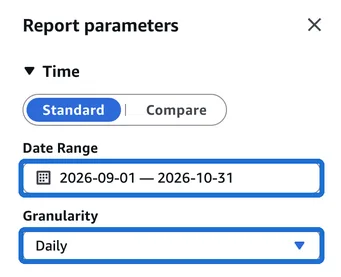
3Set the date range to the last 2 months.
4Set granularity to Daily.
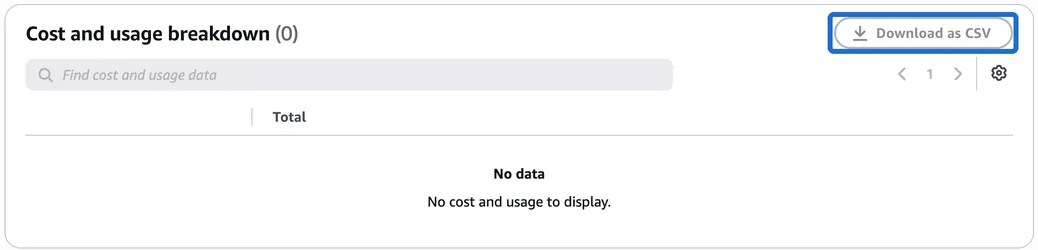
5Download CSV.
AWS console: open Cost Explorer, set the date range and Daily granularity in Report parameters, then use Download as CSV in the breakdown table. Account details are removed.
Cost Explorer often has no resource ids and no tags. For a sharper review: open Data exports, create a CUR 2.0 export, include resource IDs, choose CSV or Parquet, then download the file from the S3 bucket it names.